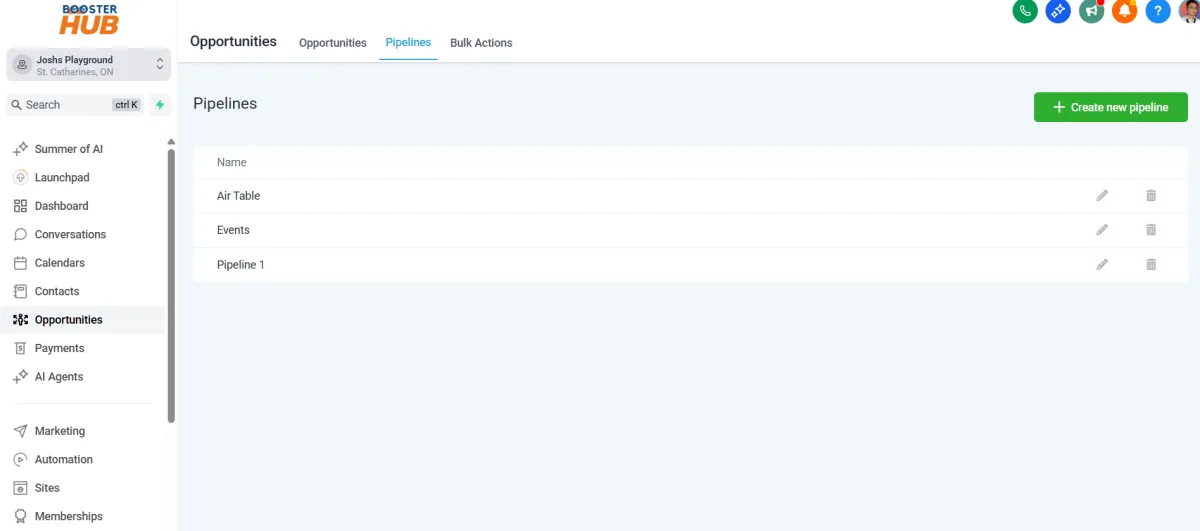
Opportunities & Pipelines
Design Your Digital
Success
Crafted Websites and Graphics that Leave a Lasting Impression

Our Story
We are passionate web artisans, committed to creating visually stunning and functional websites that captivate audiences and elevate businesses to new heights.

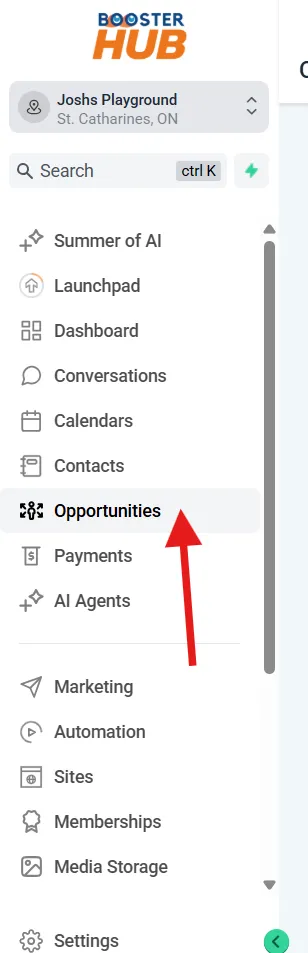
Go to “Opportunities”
From the left sidebar, click on “Opportunities” under the “Opportunities” or “CRM” section.
Understand the Pipeline View
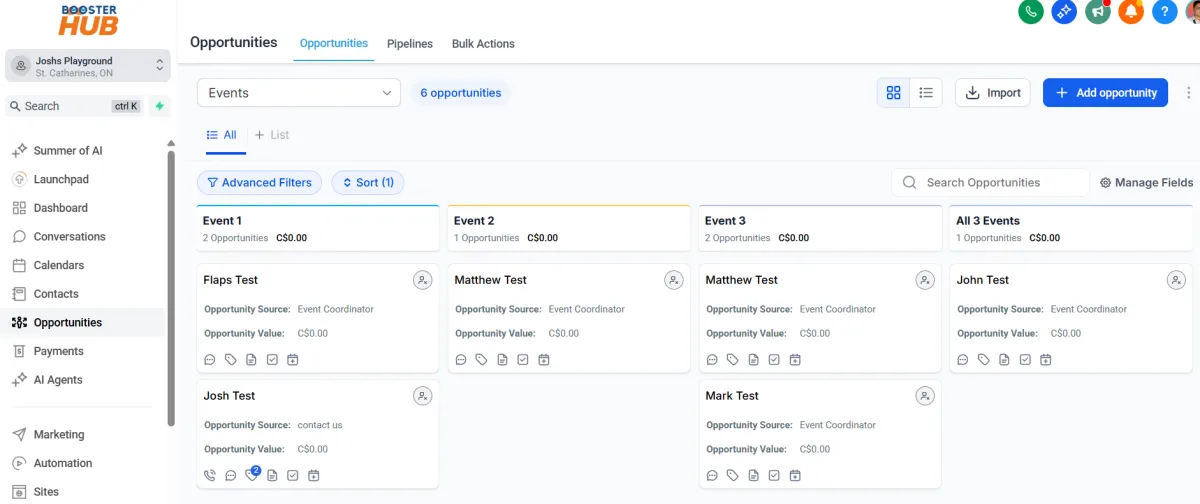
The screen shows a Kanban board with different stages (columns) of your sales funnel.
Example stages: New Lead → Contacted → Booked → Closed
Each card represents a lead (opportunity).
Create a New Opportunity
Click “+ Add Opportunity” (top-right or within a column).
Fill out the details:
Contact name
Pipeline and stage
Opportunity name
Status (Open, Won, Lost, Abandoned)
Opportunity value ($ amount if applicable)
Assigned user (optional)
Click Save
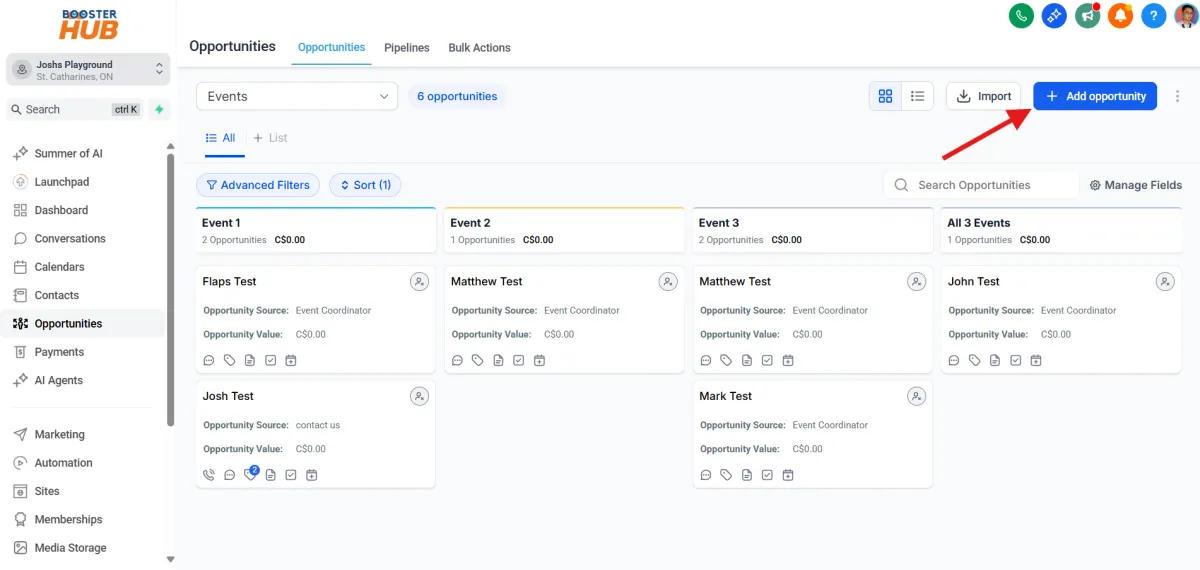
Move Opportunities Through the Pipeline
As the lead progresses, drag and drop the card into the next column (stage).
GHL can trigger automations based on stage movement (e.g., send emails, assign tasks).
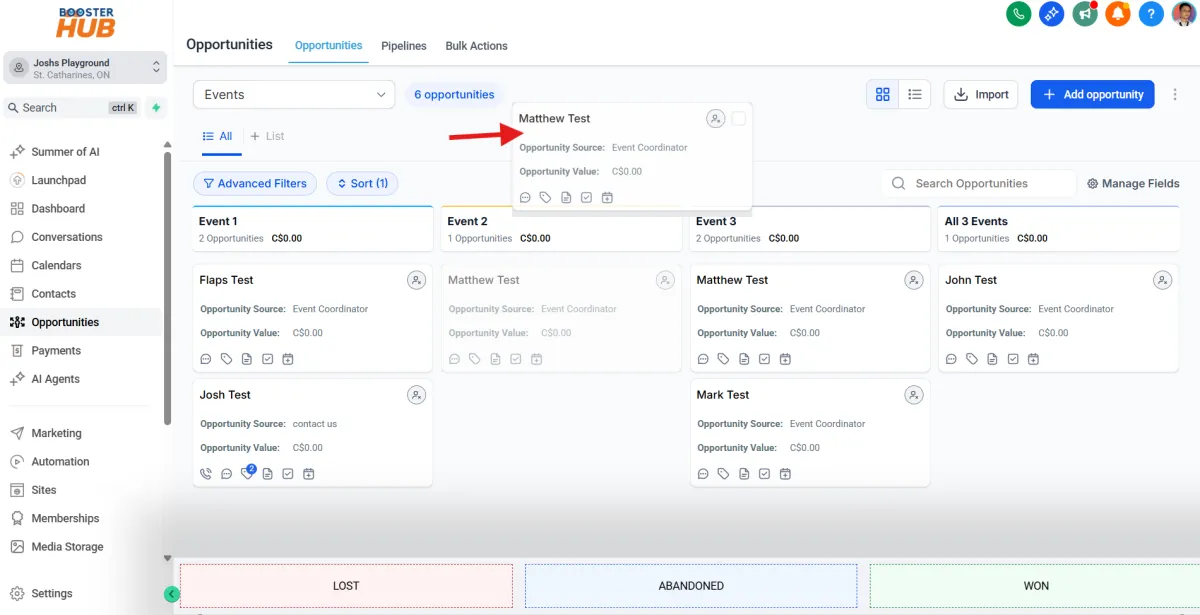
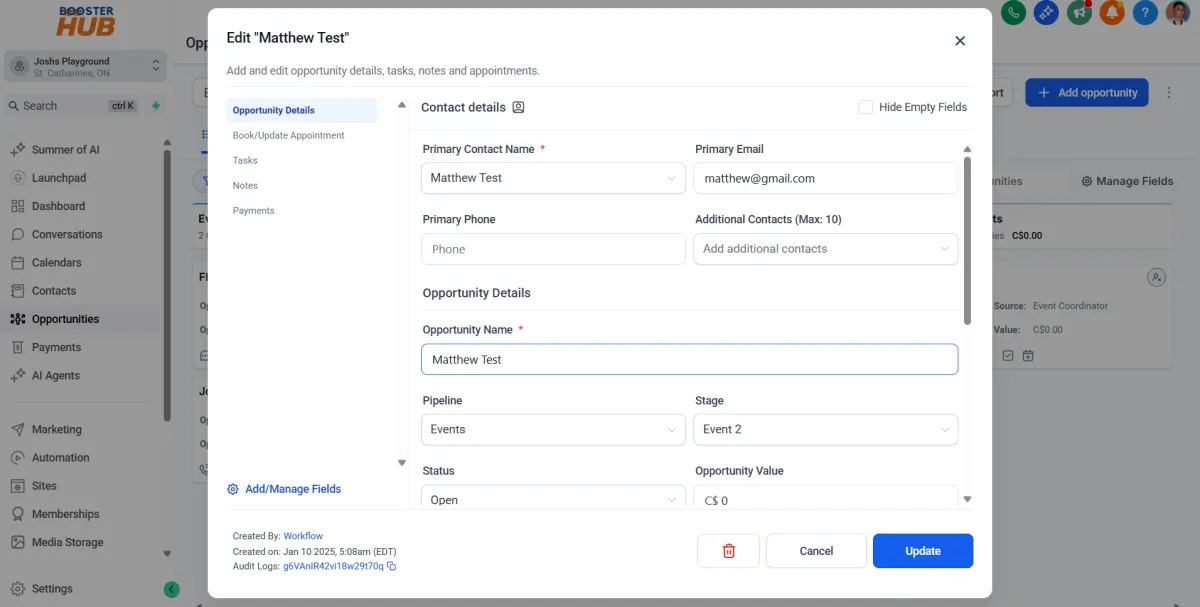
Update Opportunity Info
Click on any card to open and edit:
Change stage
Add notes or tasks
Update value, status, or contact details
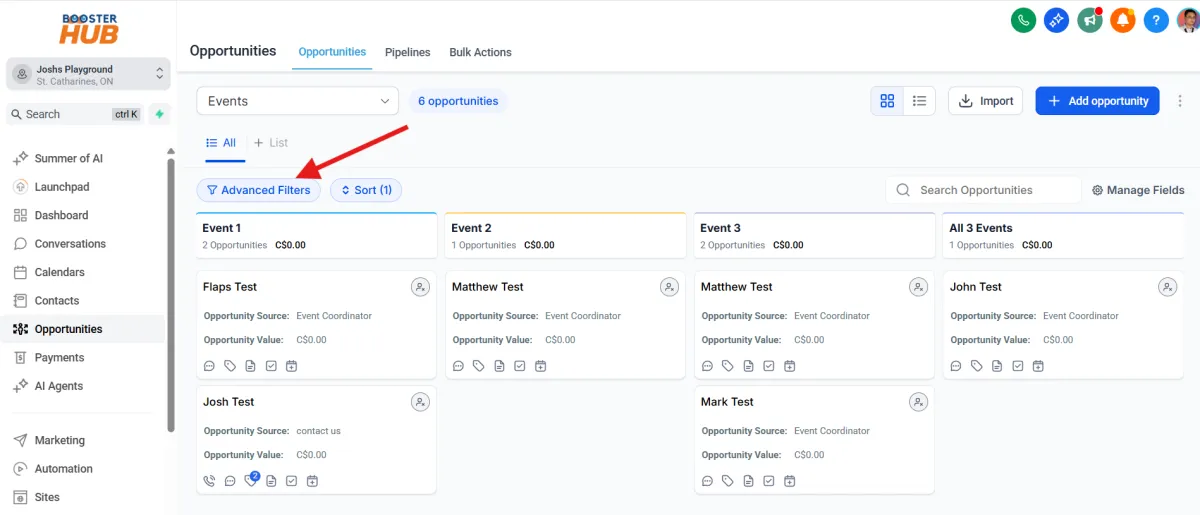
Filter Opportunities
Use filters at the top to sort by:
Pipeline
Stage
Assigned user
Status
Date range
Mark as Won, Lost, or Abandoned
Within a card, change the status to:
Open (still active)
Won (converted to sale/customer)
Lost (didn’t close)
Abandoned (no longer being pursued)
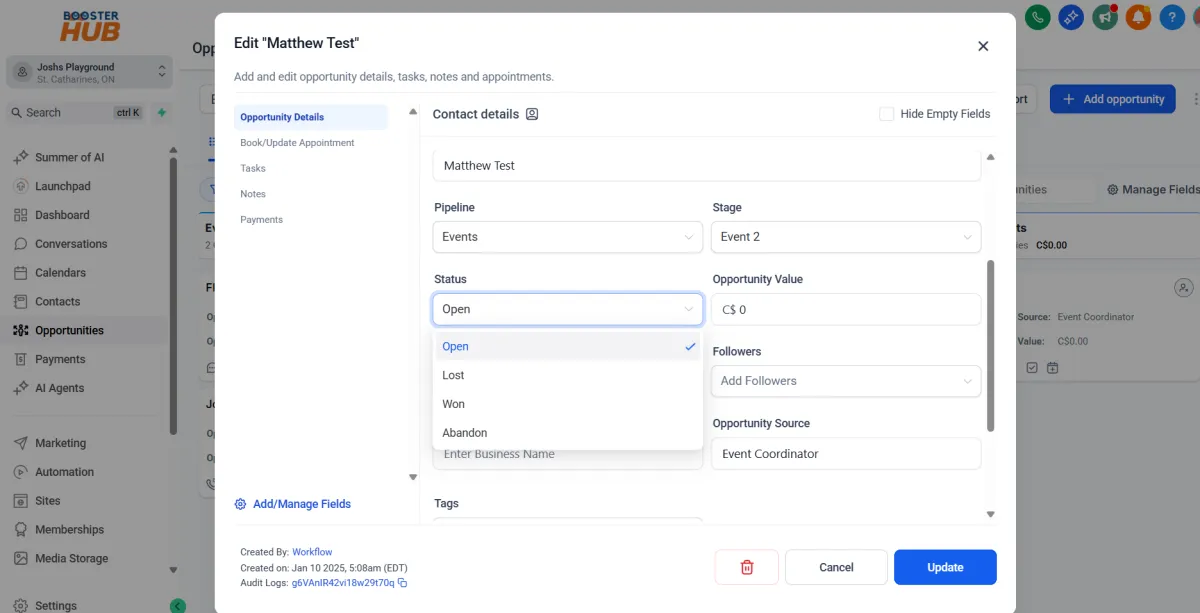
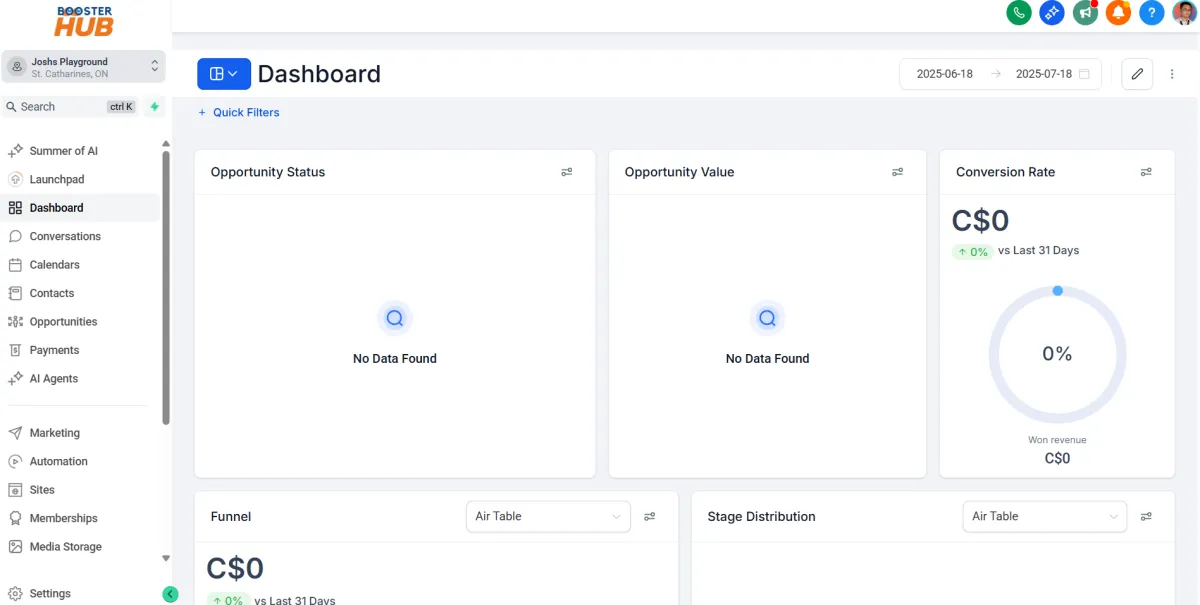
View Opportunity Reports
On the left menu click dashboard
See conversion rates, value totals, pipeline performance, and stage breakdowns.
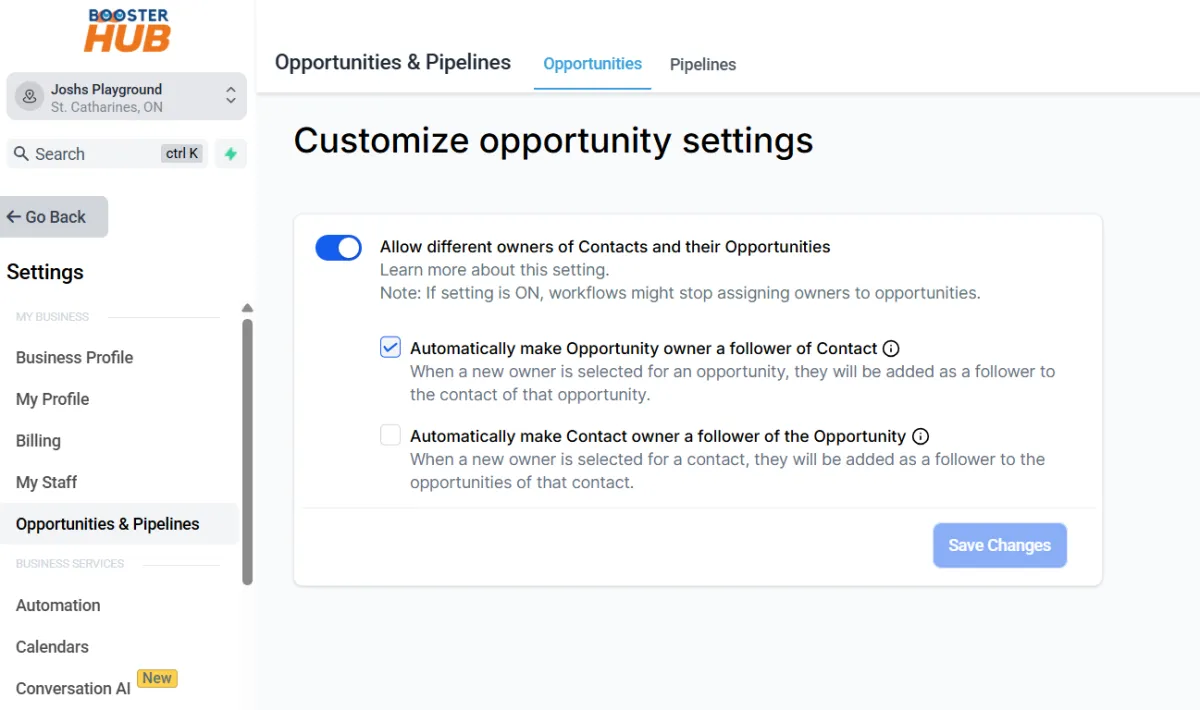
Automate with Pipelines
Go to Settings > Pipelines to:
Create or edit your pipelines
Add/remove stages
Link stages to automations (e.g., texts, emails, tasks when a lead enters a stage)
Use Smart Pipelines for Different Workflows
You can have multiple pipelines for different services (e.g., Sales, Onboarding, Follow-up).
Switch between them using the pipeline selector at the top.