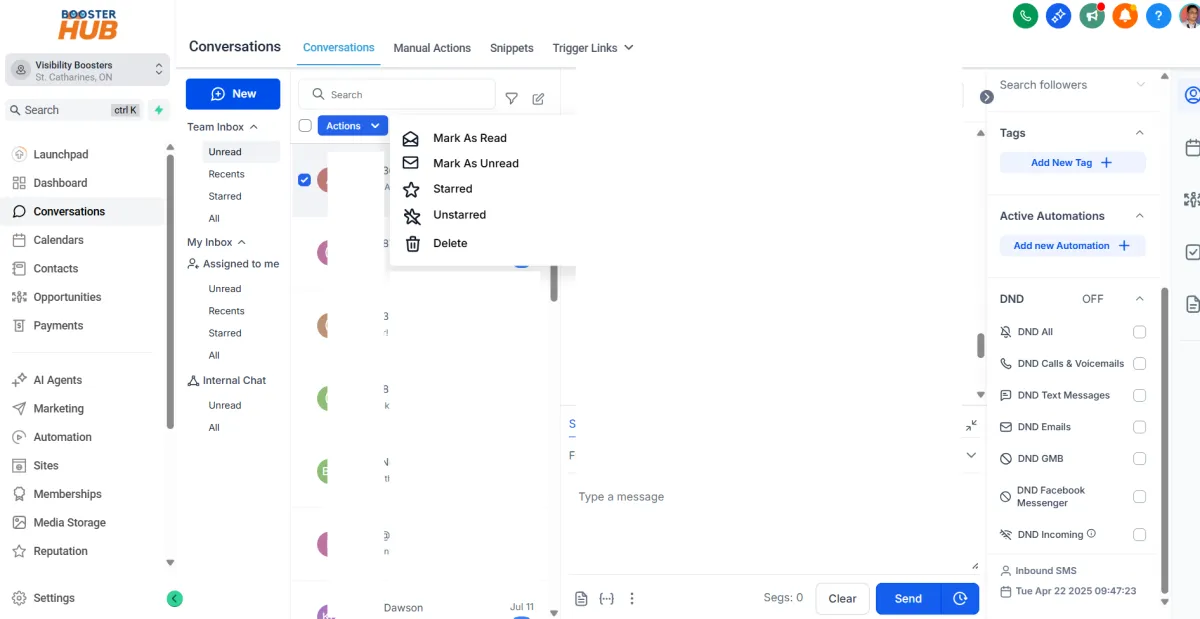
CONVERSATIONS TAB
Design Your Digital
Success
Crafted Websites and Graphics that Leave a Lasting Impression
Our Story
We are passionate web artisans, committed to creating visually stunning and functional websites that captivate audiences and elevate businesses to new heights.
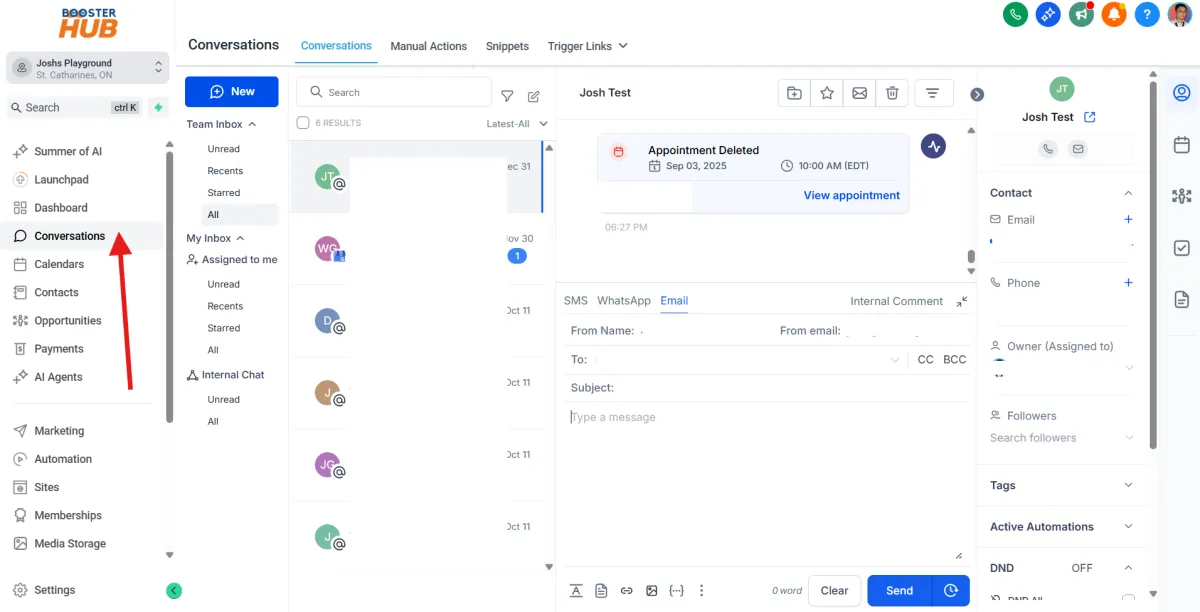
Navigate to “Conversations”
From the left sidebar, click “Conversations”.
This opens your unified inbox where you can manage all incoming/outgoing messages (SMS, email, Facebook, Instagram, GMB chat, etc.).
View & Filter Conversations
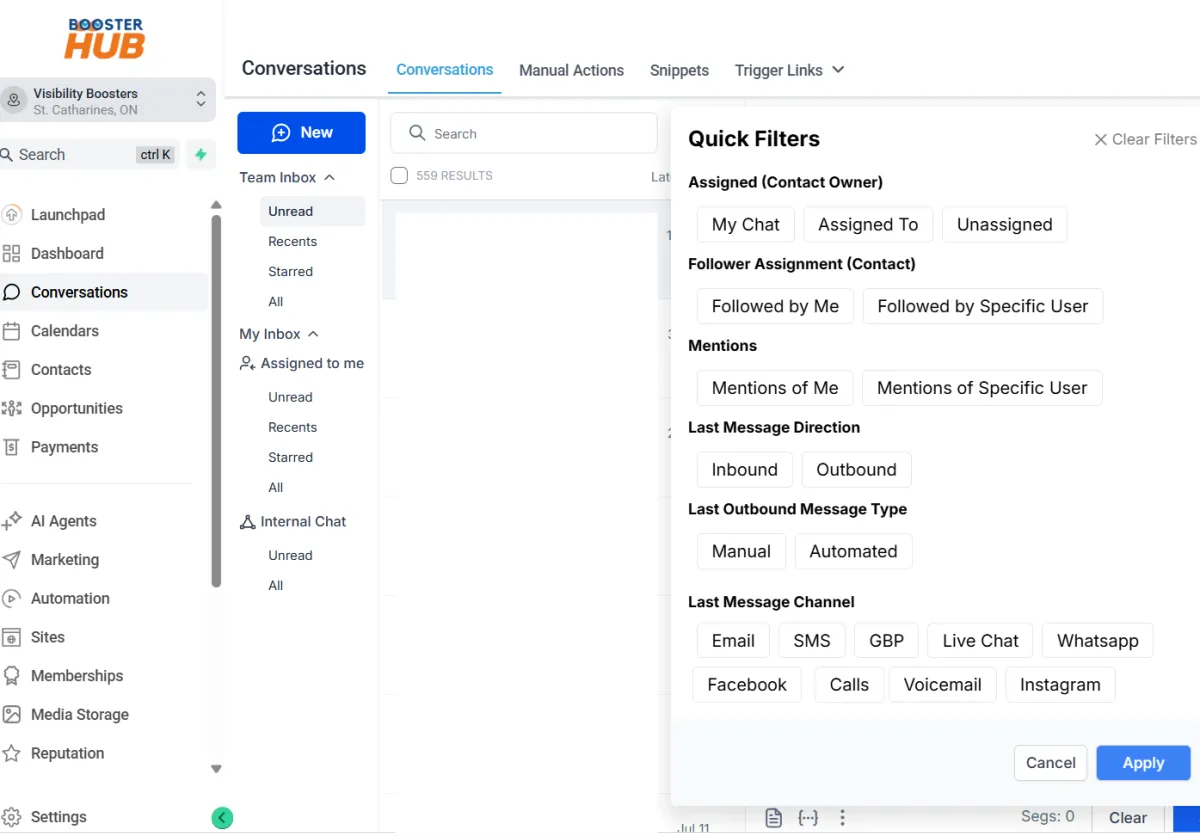
At the top, use filters to sort messages by:
Channels (e.g., SMS, email, Instagram)
Unread / Open / Assigned / All
Date ranges
Use the search bar to find conversations by contact name or number.
Select a Conversation
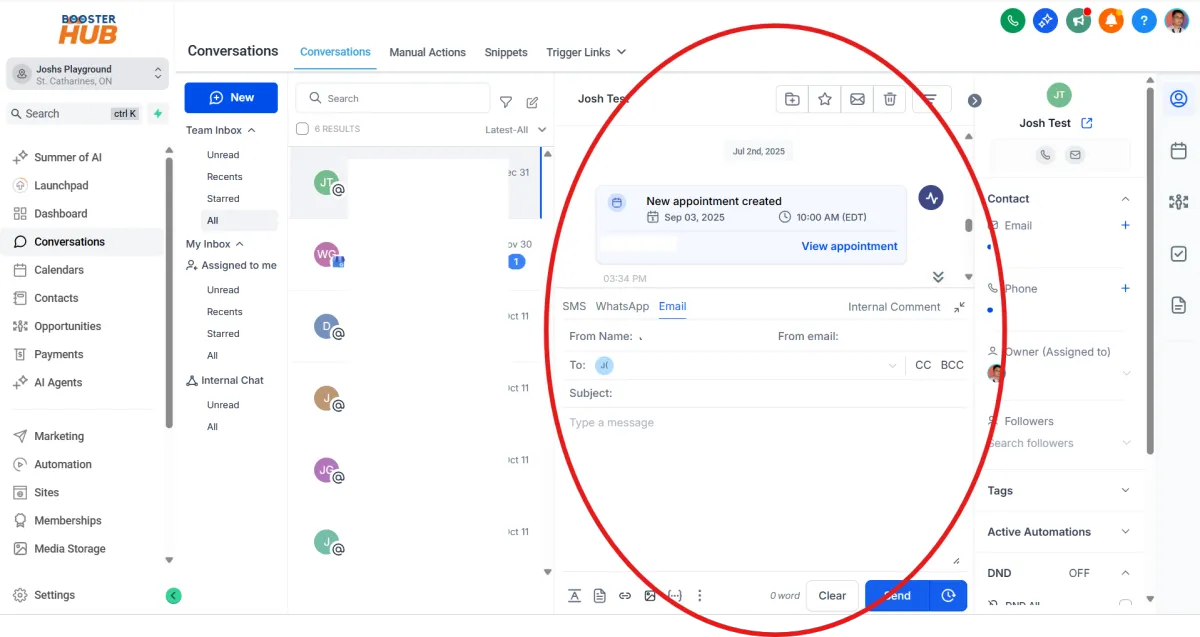
Click on a contact in the left panel to open the full message thread in the center pane.
Respond to Messages
Use the message box at the bottom to reply:
Type your reply (SMS, email, etc.)
Use templates from the dropdown if available
Attach files or images if needed
Click “Send”
Add Notes or Tasks
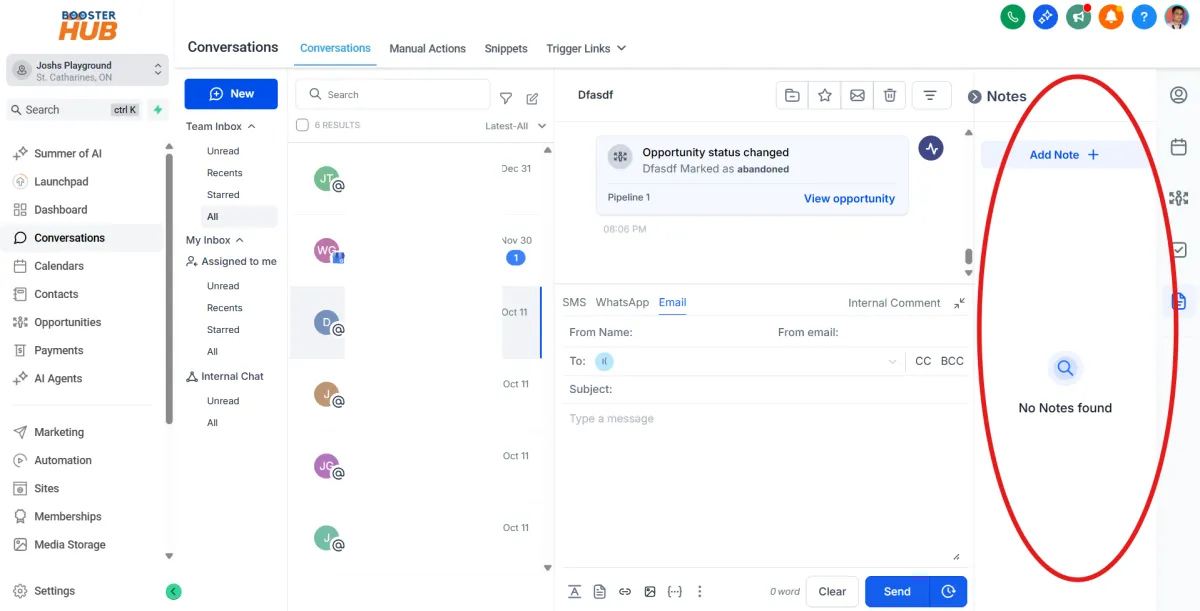
Click the “Notes” tab beside the message box to add internal notes about the contact.
Use the task icon to assign follow-ups or reminders for your team.
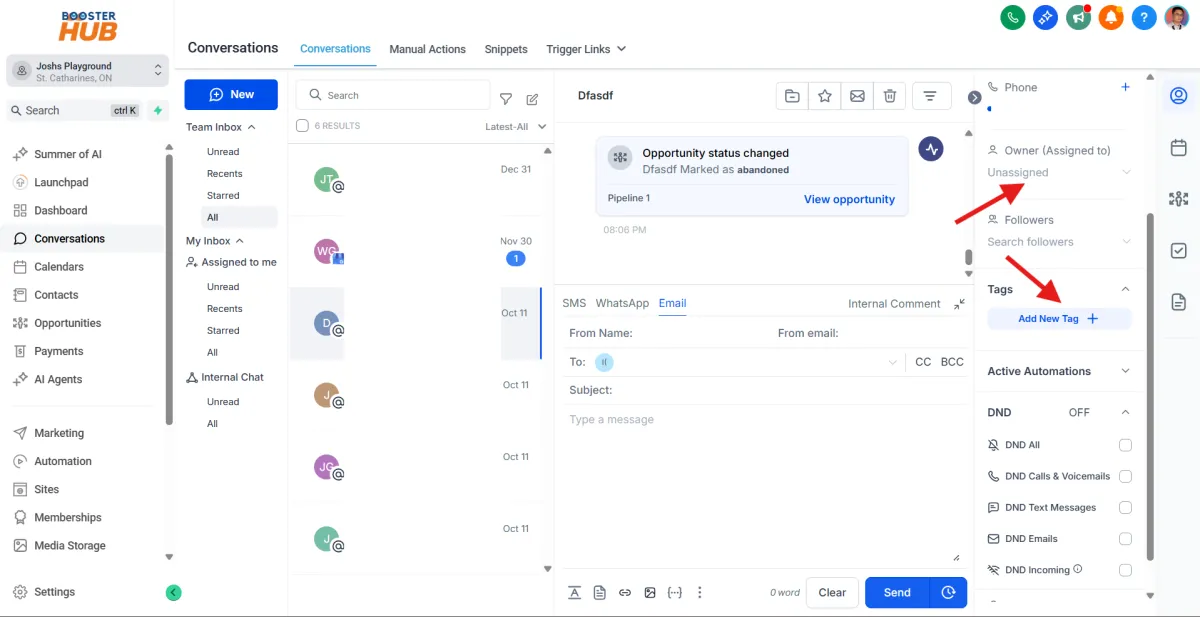
Tag or Assign Contact
Use the right bar to:
Assign a team member
Apply tags to categorize contacts
Mark as read/unread
Change conversation status (Open, Closed, etc.)
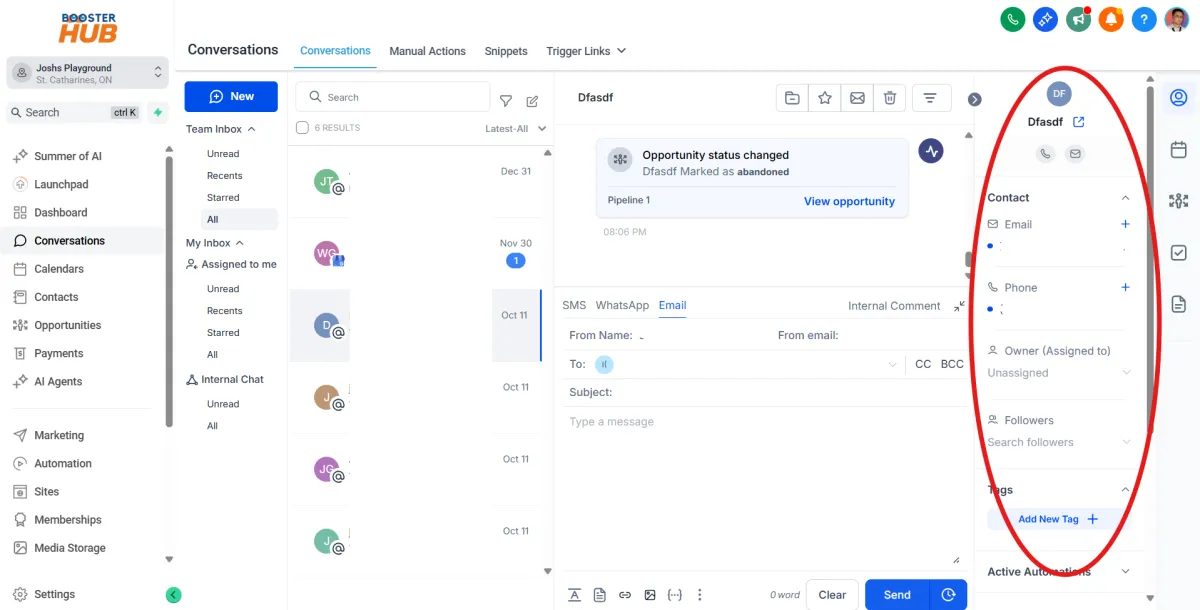
View Contact Details
On the right panel, you’ll see contact information like:
Name, phone, email
Notes, tasks, tags
Appointment history and more
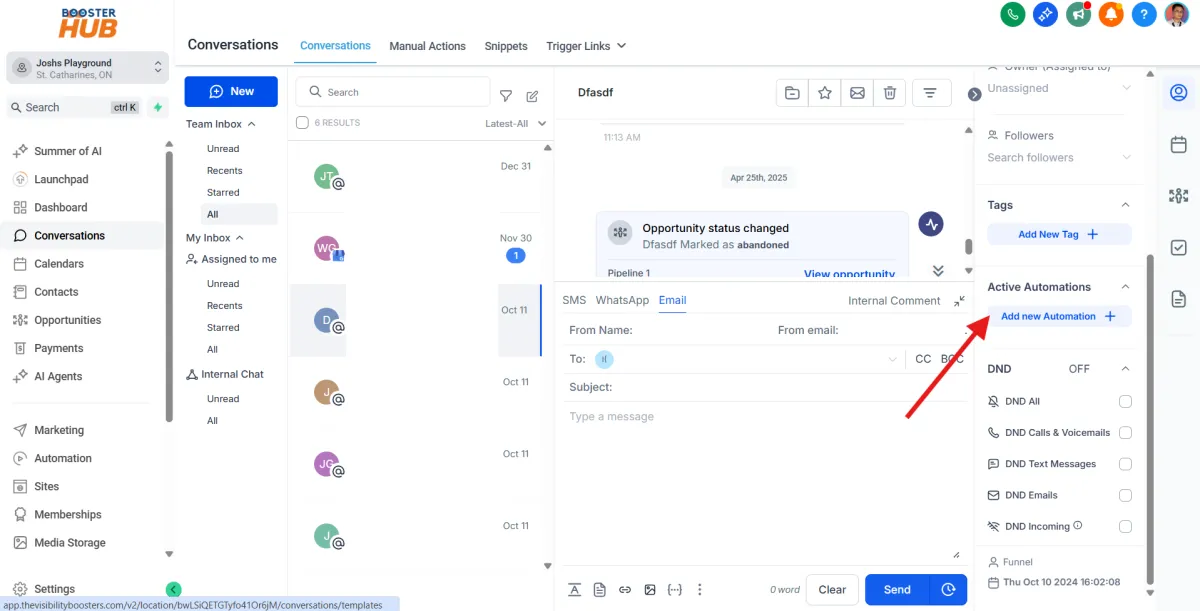
Manage Automation from Conversations
You can start automations like workflows, campaigns, or bookings directly from this tab using the options on the right panel.
Archive or Delete if Needed
select conversation through checkboxes and click actions dropdown for options like:
Archive
Delete
Mark as unread