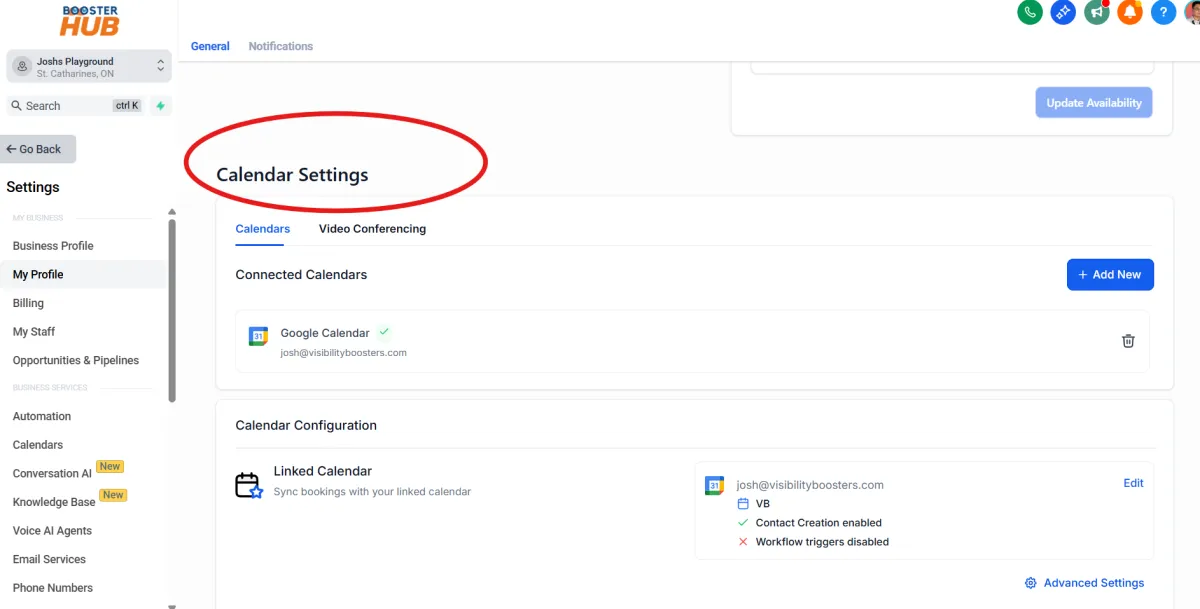
CALENDARS
Design Your Digital
Success
Crafted Websites and Graphics that Leave a Lasting Impression
Our Story
We are passionate web artisans, committed to creating visually stunning and functional websites that captivate audiences and elevate businesses to new heights.
Create a New Calendar (Optional)
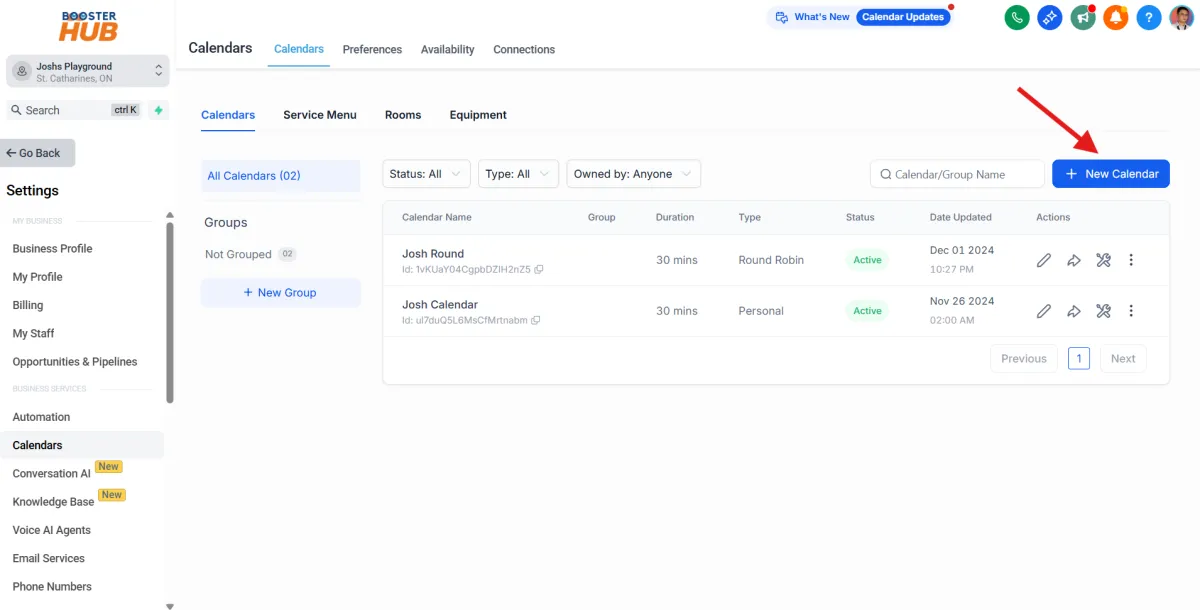
Go to settings and click Calendars
Click “+ New Calendar” at the top right.
Choose between:
Round Robin (distributes meetings evenly across users),
Group (multiple participants),
or Class (one-to-many).
Continue build and complete your new calendar
Set Calendar Configuration
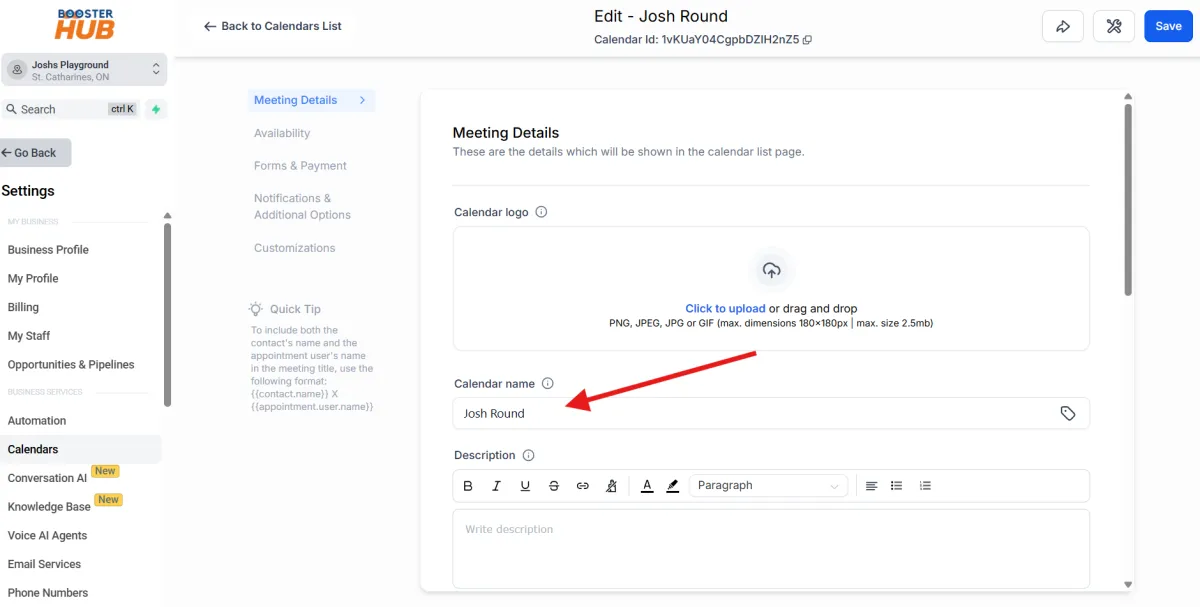
Calendar Name: Give it a name (e.g., "Sales Calls").
Assign to User(s): Select which team members will get bookings.
Click Save
Set Availability
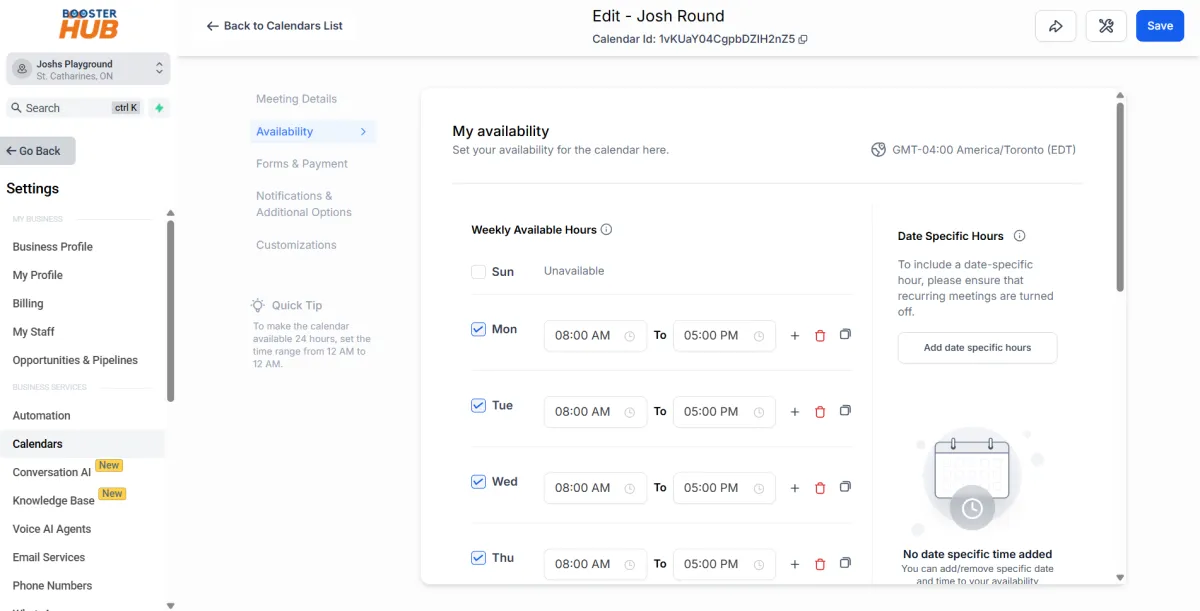
Choose your preferred availability hours.
You can customize days, time slots, padding between meetings, etc.
Click Continue.
Share the Booking Link
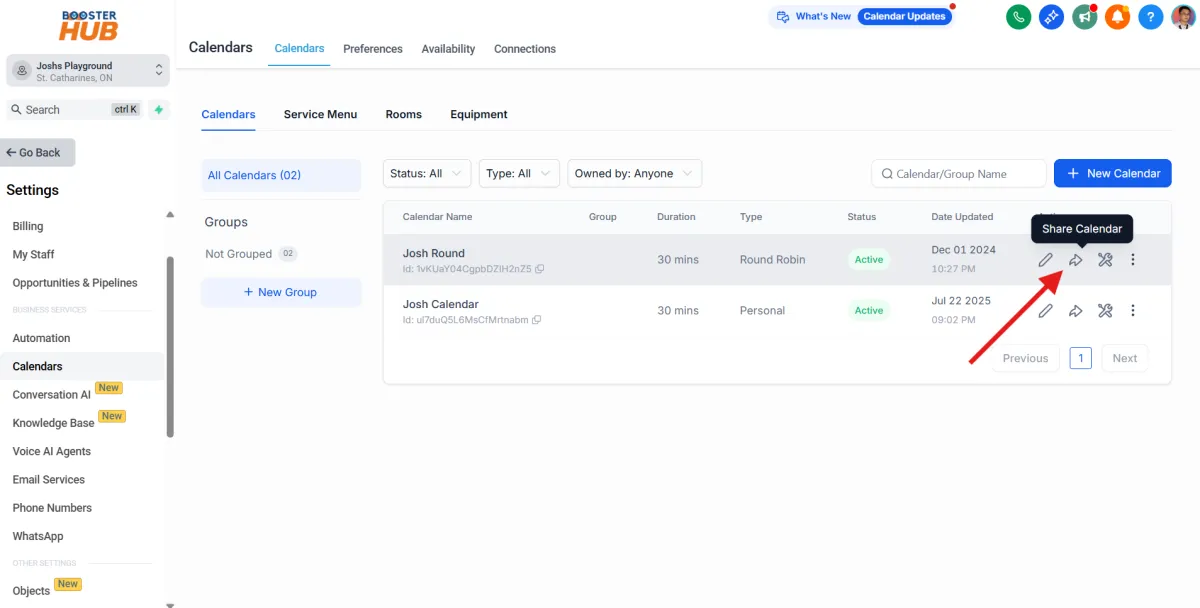
After creating, you'll get a calendar link.
You can:
Share it directly,
Embed it on your website,
Add it to emails or automations.
Manage Appointments
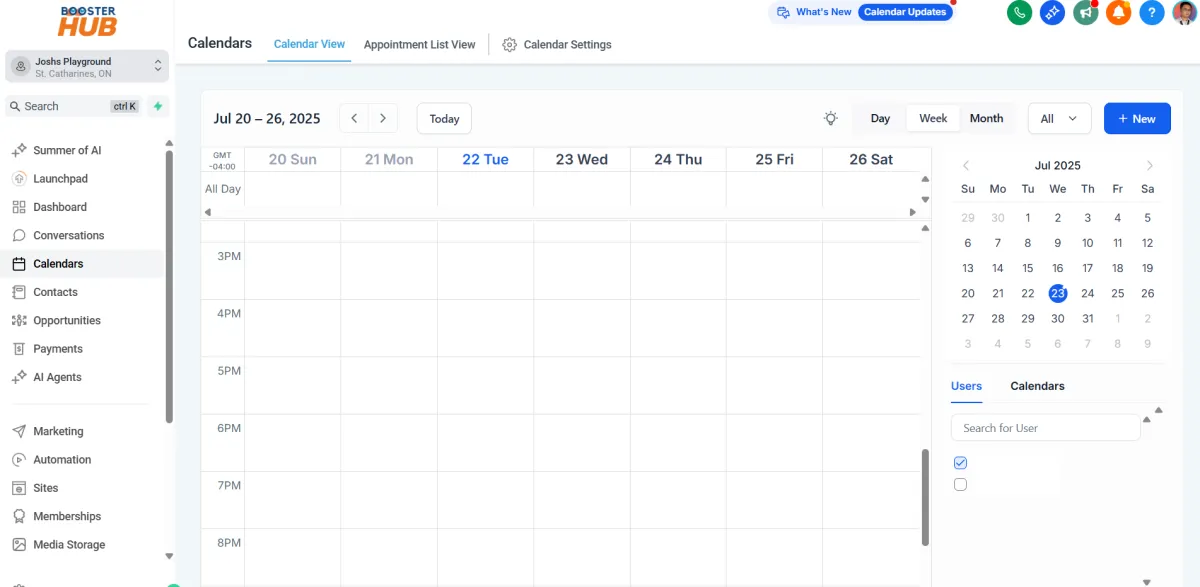
View, reschedule, or cancel bookings inside the calendar view.
You can filter by user, calendar, or date
Sync with Google Calendar (Optional)
Go to Settings > Profile or Integrations.
Connect your Google account to sync appointments between GHL and Google Calendar.